

Try it on your laptop
Ten minutes, one machine, nothing to configure first: you start Beacon in Docker beside a probe location and a demo machine, make your account, connect Claude Code, break the demo service — and then watch an agent read the alert's evidence, repair the service through Beacon's SSH channel, verify the repair and leave its note, with every command it ran recorded for you to replay. The try environment lives at deploy/try in the repository; everything is served from http://localhost:17001, on plain http, without a domain or a certificate.
TIP
Hand it to your agent. Paste this into Claude Code and let it do the steps:
Read https://beacon.openlinkos.com/guide/quickstart.md and set up a Beacon trial on this machine. Start at "Start the environment" and run every command as written; stop after "Ask what is alerting" and report the summary and the console address. Leave "Make your account" to me.You need: Docker with Compose v2, ssh-keygen (the OpenSSH client), about 2 GB of memory to spare — and nothing else. No domain, no certificate, no cloud account; Beacon calls no model.
Start the environment
git clone https://github.com/openlinkos/beacon.git
cd beacon/deploy/try
sh up.sh
up.sh makes the throwaway secrets (the rules token, the SSH channel's host and certificate-authority keys, the demo machine's host key), starts five containers — Beacon, VictoriaMetrics, vmalert, the probe location edge-1 and the demo machine — enrolls the probe, pins the demo machine's host key and prints the link that makes the first account. On Windows, run it from Git Bash. It is safe to run again.
You will see, after a minute or two of pulling and starting:
Beacon's try environment is up (…s):
  http://localhost:17001          the API (/api/v1), MCP (/mcp) and the console (/console)
  http://localhost:18080          the demo service this environment watches

Make the first account (an owner): open this one-time link within 30 minutes:
  http://localhost:17001/console/setup?code=…
If it goes wrong, docker compose logs beacon says why, and Troubleshooting has the common cases.
Make your account
Open the link. Choose a username, a display name and a password; that account is the owner, and you are signed in to the console at http://localhost:17001/console — the overview, the alerts, the machines, the sessions. The link works once; if it expires, docker compose exec beacon beacon setup prints a new one.
Connect Claude Code
claude mcp add --transport http beacon http://localhost:17001/mcpThen, in Claude Code, type /mcp and choose beacon to sign in. Your browser opens Beacon's consent page (you are signed in already): Claude Code wants to use Beacon as you. Allow it as one of your agents — the name it suggests, the operator preset, all machines, 30 days — and press Allow. Back in Claude Code, beacon shows connected.
Plain http on localhost is fine here: the console's cookie is Secure, which a browser allows on localhost, and Claude Code sends credentials to a token endpoint on localhost.
Ask what is alerting
In Claude Code:
What is alerting on Beacon right now?The agent calls status_summary and answers with what it returns: nothing firing — the demo service is up, the probe location reports, and alerts could reach people. This is the agent's normal view: the same question works at 3 a.m., and then the answer is the alert you are about to make.
Break the demo service
docker compose exec demo stop-webYou will see the demo web server is stopped. The probe finds out on its next round (every 30 seconds); within about two minutes of stopping the service, the rule engine has it down and the alert group exists, titled demo-web is down — no chat is configured in the try environment, so nobody is notified; the alert is in Beacon, which is where the agent looks.
Ask the agent, in Claude Code:
demo-web is down. Use Beacon: get the evidence, repair the service on the machine through the SSH channel, verify the fix with probe_now, and leave a note on the alert.You will see the agent work the loop Beacon exists for:
get_evidencereturns the alert with the probe's result — locationedge-1, reasonconnect, connection refused — and it leaves a first note.run_commandon the machinedemo(a five-minute certificate; the agent never holds a key) finds the web server down and starts it again withstart-web.probe_nowmakes the location probe the target again at once, and the result comes back a success.add_noteleaves what was wrong, what it did, and that nothing remains for a person.
Watch it recover, and replay what the agent did
In the console at http://localhost:17001/console, signed in since step 2:
- Alerts → the demo-web is down group: resolved a few moments after the repair, its timeline showing the agent's notes.
- Sessions → the sessions on
demo: the replay shows the work, command by command, as it happened.
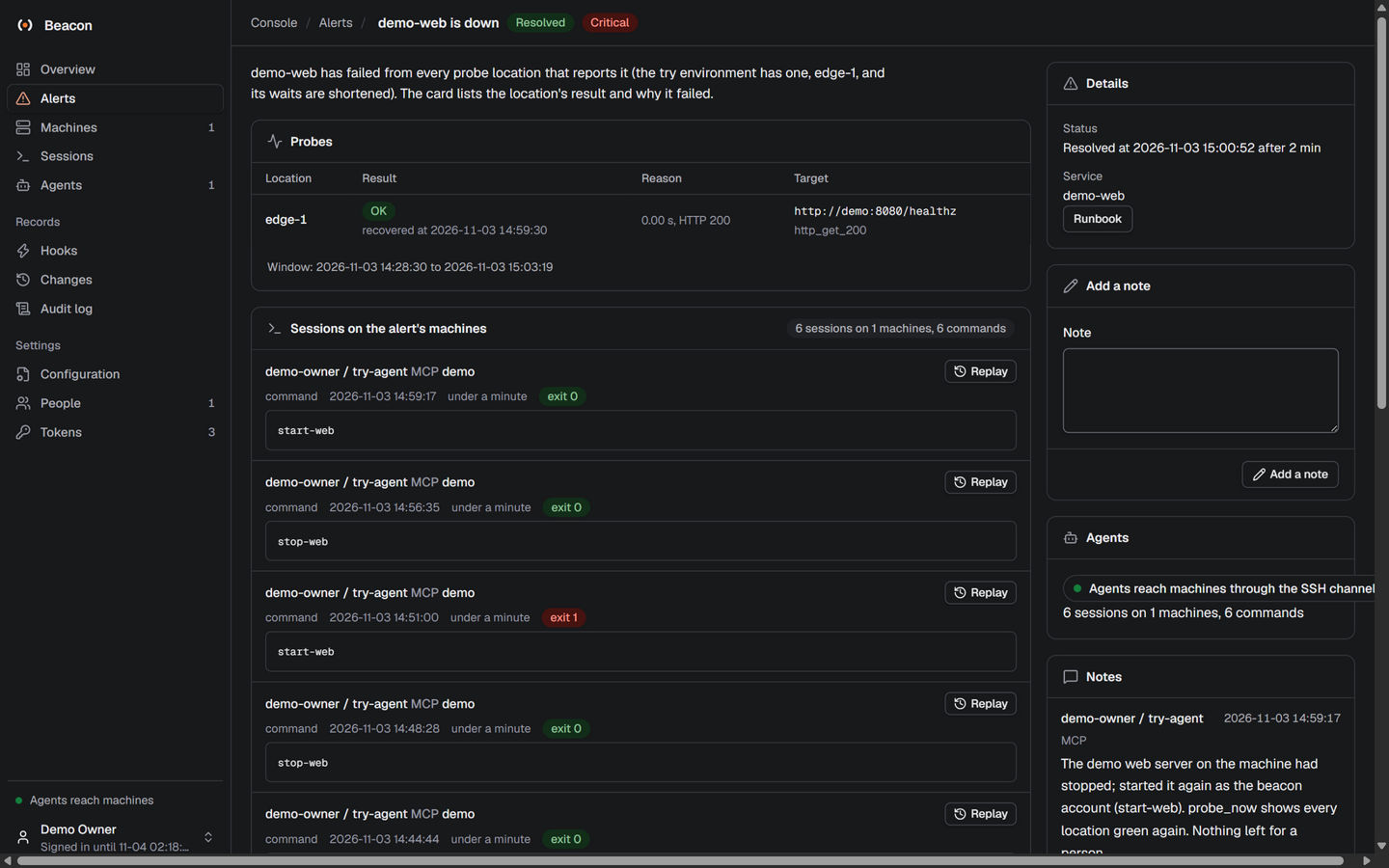
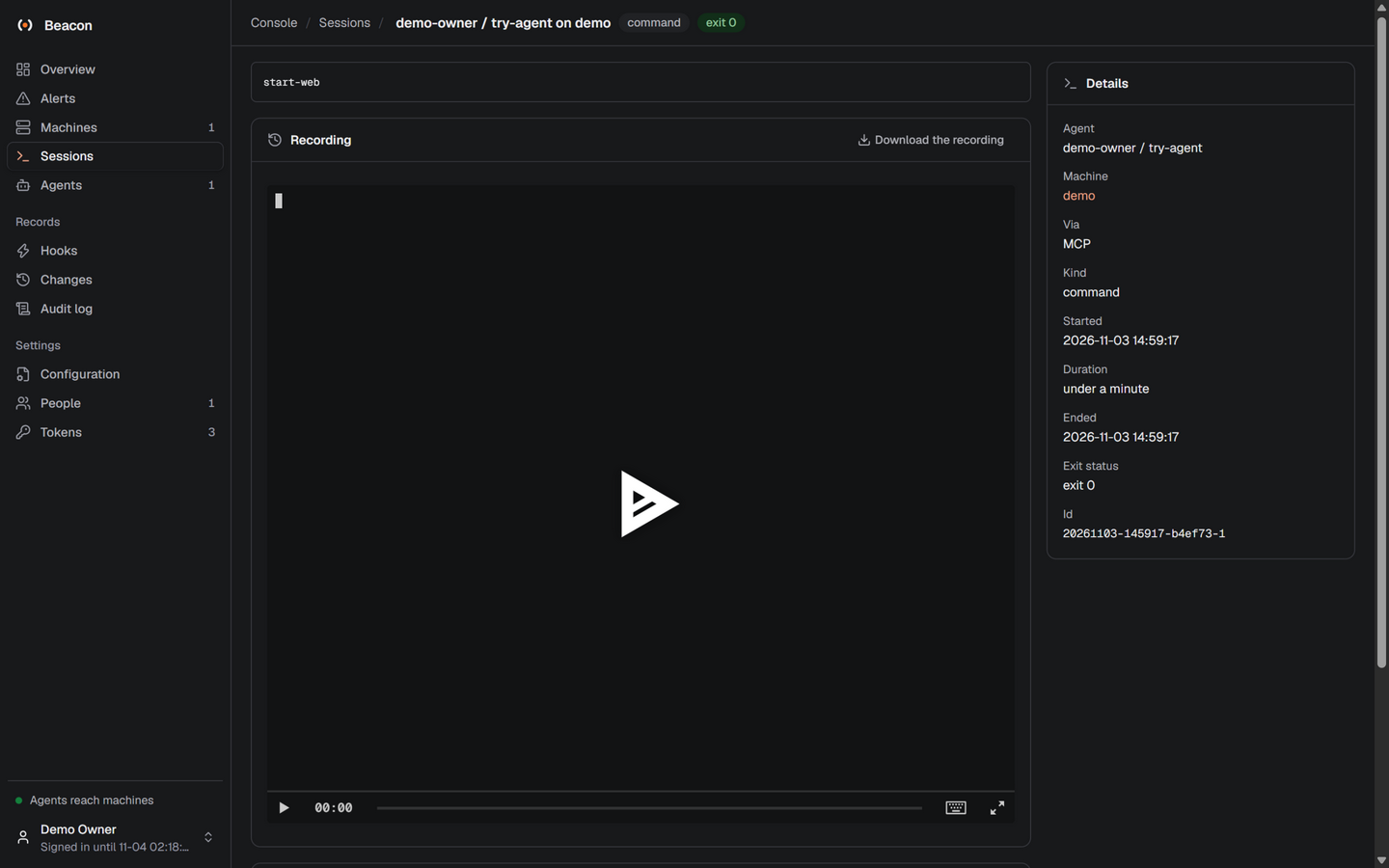
The recording of a repair like this one — the agent's session as an asciicast at /media/agent-repairs-demo-web.cast — is what the console's replay plays, command by command.
Clean up
docker compose down -vThe containers, the volumes (Beacon's database, the metrics, the recordings) and the network are gone. deploy/try/secrets/ keeps the throwaway keys; delete the directory if you like.
Check yourself
- The setup link opened Set Beacon up, and the console's overview shows one probe location reporting.
/mcpin Claude Code listsbeaconas connected, and the agent answered the alerting question with Beacon's own summary.- After
stop-web, the alert appeared within about two minutes, and after the agent's repair the group was resolved with the probes' agreement.
Next
- Put Beacon on a server, with TLS and a real probe location: On a server.
- Have alerts wake the agent by themselves, and see what it may and may not do on a machine: Put an agent on call and Give agents a machine.
- More clients — Codex, Cursor, headless agents: Integrations.