

在本机试一试
十分钟,一台机器,事先什么都不用配:你在 Docker 里把 Beacon 连同一个检测点和一台演示机器跑起来,建好自己的账号,接上 Claude Code,把演示服务弄坏——然后看着一个 Agent 读告警的证据、经 SSH 通道修好服务、复测确认、留下备注,它跑过的每条命令都有记录,可以回放。试用环境在仓库的 deploy/try;所有东西都在 http://localhost:17001,明文 http,不需要域名,也不需要证书。
提示
交给你的 Agent。 把下面这段贴进 Claude Code,让它替你做:
Read https://beacon.openlinkos.com/guide/quickstart.md and set up a Beacon trial on this machine. Start at "Start the environment" and run every command as written; stop after "Ask what is alerting" and report the summary and the console address. Leave "Make your account" to me.需要:装了 Docker 和 Compose v2 的机器,ssh-keygen(OpenSSH 客户端),大约 2 GB 空余内存——别的都不用。没有域名,没有证书,没有云账号;Beacon 不调用任何模型。
启动环境
git clone https://github.com/openlinkos/beacon.git
cd beacon/deploy/try
sh up.sh
up.sh 生成一次性的密钥(规则令牌、SSH 通道的主机和 CA 密钥、演示机器的主机密钥),启动五个容器——Beacon、VictoriaMetrics、vmalert、检测点 edge-1 和演示机器——登记检测点、固定演示机器的主机密钥,并打印建立第一个账号的链接。Windows 上请在 Git Bash 里运行。重复执行是安全的。
一两分钟的拉取和启动之后,你会看到:
Beacon's try environment is up (…s):
  http://localhost:17001          the API (/api/v1), MCP (/mcp) and the console (/console)
  http://localhost:18080          the demo service this environment watches

Make the first account (an owner): open this one-time link within 30 minutes:
http://localhost:17001/console/setup?code=…出了问题,docker compose logs beacon 会说原因,常见问题里有各种常见情形。
建立账号
打开那个链接。选一个用户名、显示名和密码;这个账号就是所有者,然后你已经登录进 http://localhost:17001/console 的控制台——总览、告警、机器、会话都在这里。链接只生效一次;过期了就用 docker compose exec beacon beacon setup 打印一个新的。
接上 Claude Code
claude mcp add --transport http beacon http://localhost:17001/mcp然后在 Claude Code 里输入 /mcp,选择 beacon 登录。浏览器会打开 Beacon 的授权页(你已经登录):Claude Code wants to use Beacon as you。允许它作为你的一个 Agent——默认的名字、operator 预设、所有机器、30 天——点 Allow。回到 Claude Code,beacon 显示已连接。
localhost 上的明文 http 在这里没有问题:控制台的 cookie 是 Secure 的,浏览器允许 localhost 使用;Claude Code 也接受 localhost 上的令牌端点。
问它现在有什么在告警
在 Claude Code 里:
Beacon 现在有什么在告警?Agent 会调用 status_summary,用它返回的结果回答:没有 firing 的告警——演示服务正常,检测点在汇报,告警能够送达。这就是 Agent 平时的视角:凌晨三点问同一句话,答案就是你马上要制造的那条告警。
弄坏演示服务
docker compose exec demo stop-web你会看到 the demo web server is stopped。检测点下一轮(每 30 秒)就会发现;停止服务后大约两分钟内,规则引擎判定它宕机,告警组出现,标题是 demo-web is down——试用环境没有配置聊天,所以没有人被通知;告警在 Beacon 里,Agent 正是去那里看的。
在 Claude Code 里对 Agent 说:
demo-web 宕了。用 Beacon:取证据,通过 SSH 通道在机器上修复服务,用 probe_now 验证,然后在告警上留一条备注。你会看到 Agent 走完 Beacon 存在的那个闭环:
get_evidence返回告警和检测点的结果——位置edge-1、原因connect(连接被拒)——它先留下第一条备注。- 在机器
demo上run_command(一张五分钟有效的证书;Agent 从头到尾不持有密钥),发现网页服务停了,用start-web把它拉起来。 probe_now让检测点立刻复测目标,结果是成功。add_note留下哪里坏了、做了什么、没有人需要接着处理。
看它恢复,回放 Agent 做过的事
在 http://localhost:17001/console 的控制台里(第 2 步起你已登录):
- Alerts → demo-web is down 告警组:修复后片刻就恢复了,时间线上是 Agent 留下的备注。
- Sessions →
demo上的会话:回放一条一条命令地展示整个过程。
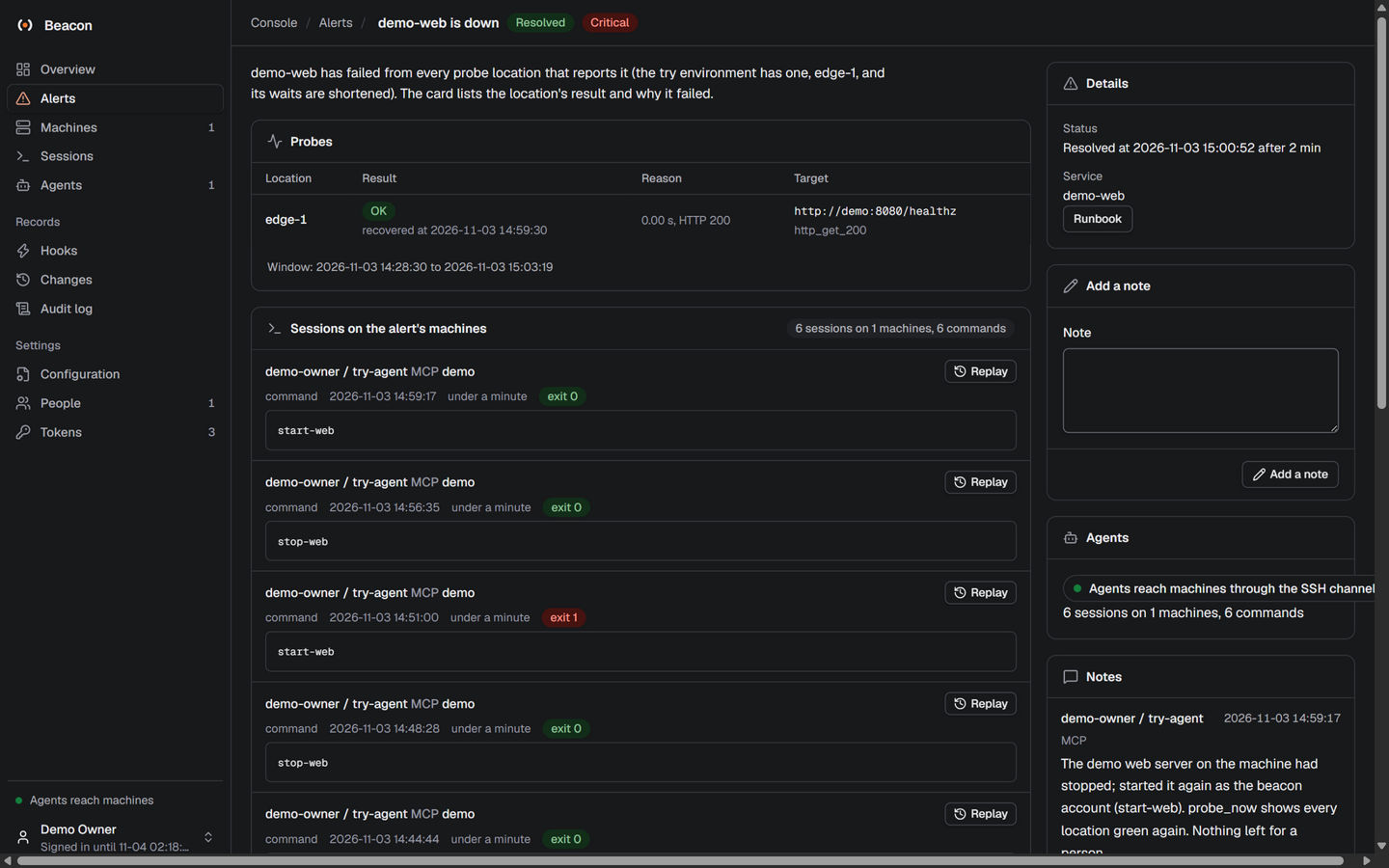
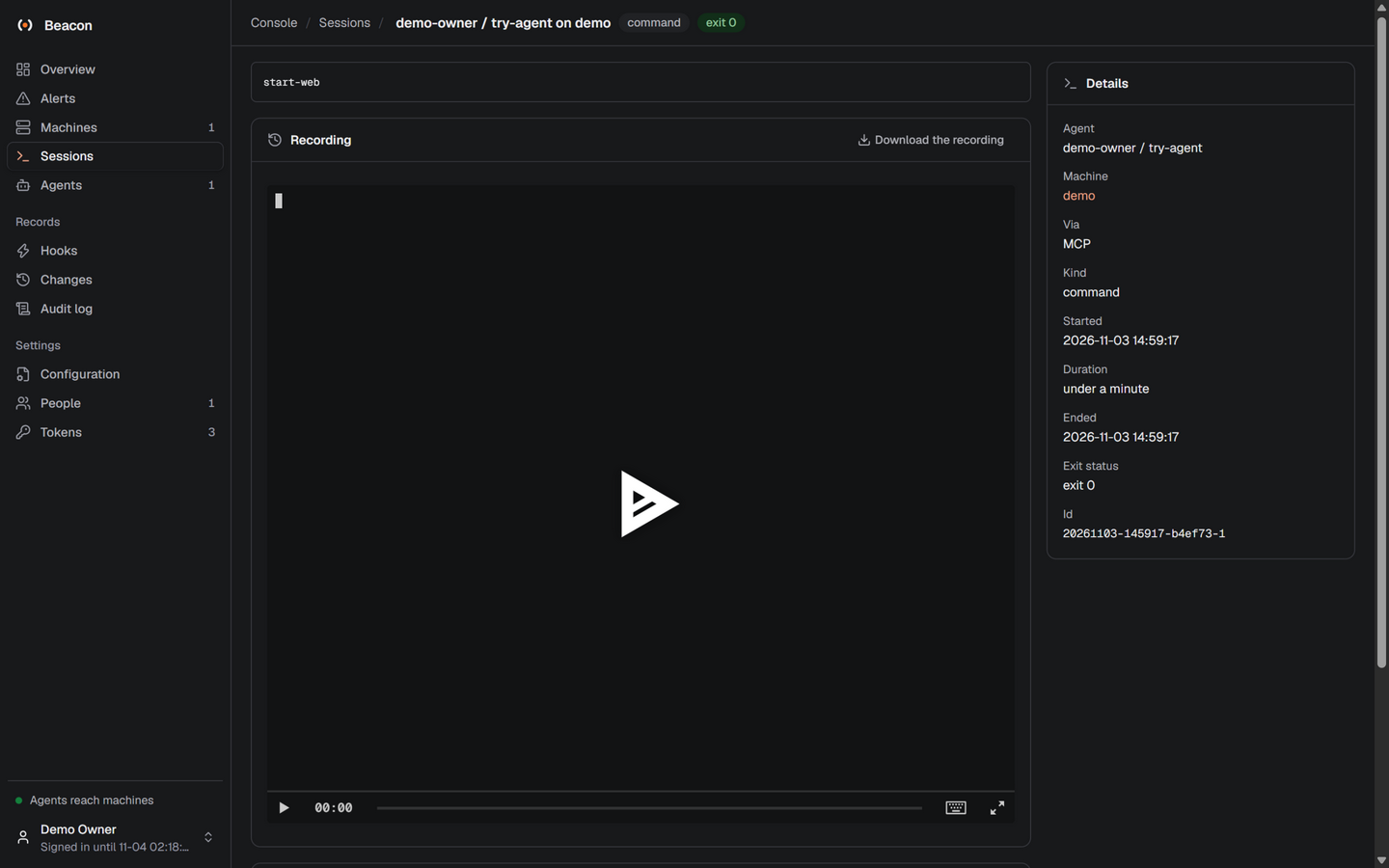
一段这样的修复录像——Agent 会话的 asciicast,在 /media/agent-repairs-demo-web.cast——就是控制台回放逐条播放的东西。
清理
docker compose down -v容器、卷(Beacon 的数据库、指标、录像)和网络都删掉了。deploy/try/secrets/ 里留着那套一次性密钥,想删就删。
检查一下
- 建账号的链接打开的是 Set Beacon up,控制台总览显示一个检测点在汇报。
- Claude Code 的
/mcp里beacon是已连接,Agent 用 Beacon 自己的摘要回答了告警问题。 stop-web之后大约两分钟内出现告警;Agent 修复后,告警组经检测点确认恢复。
下一步
- 把 Beacon 装上服务器,配上 TLS 和真正的检测点:装在服务器上。
- 让告警自动唤醒 Agent,看它在机器上能做与不能做什么:让 Agent 值班、给 Agent 一台机器。
- 更多客户端——Codex、Cursor、无头 Agent:其他 MCP 客户端。